Cricut StickerPix VS Liene PixCut S1 Sticker Printer
This post may contain affiliate links so we may receive compensation if you sign up for or purchase products linked to below. As an Amazon Associate, I can earn from qualifying purchases.

Cricut StickerPix Print + Cut vs. Liene PixCut S1 Sticker Machines: Similarities, Differences, and a Photographer’s Take
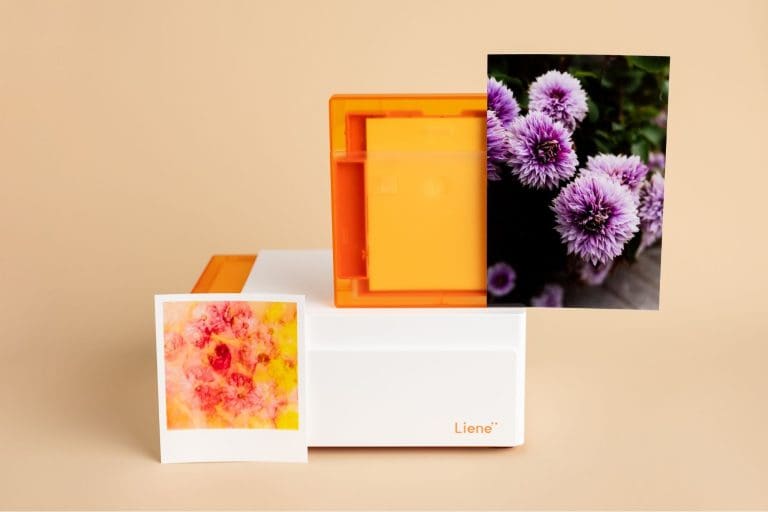
Since the new Cricut StickerPix and photo printer/picker machines launched, many people have asked the same question: how do they compare to the Liene PixCut S1 photo and sticker machine? Liene has been out for a while and has revolutionized the sticker printing and cutting game. Before its release, the only way to print and cut your own stickers was with a substantially more expensive machine OR by using a printer to print and a separate cutting machine to cut them out.
I own both, and while I think the Cricut is adorable (that color is gorgeous!), the bigger story is that they’re surprisingly similar in how they print and cut. That said, there are some important differences, especially if you care about color, clarity, and print quality (I’m a photographer, so that matters to me).
No printer in this post has been sponsored by any brand. However, the links in this post are affiliate links, and by clicking on them, I may earn a small commission at no additional cost to you. I am completely honest about my thoughts on the two printer/cutters, and you can see I printed duplicate photographs on each printer to compare them.
Below is a clear breakdown of what’s the same, what’s different, and what I noticed after actually printing and cutting a bunch of stickers and photos.

The Big Similarities (They’re More Alike Than You’d Expect)
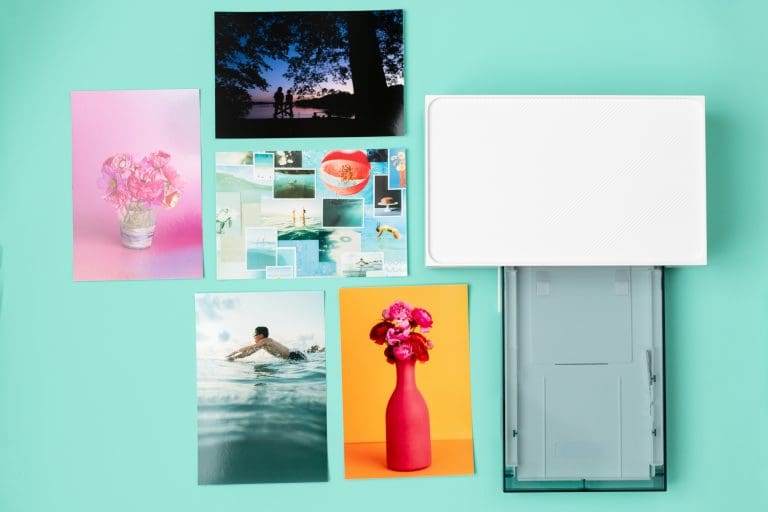
Both machines print and cut stickers and photos. The photos are 4×6, and the sticker sheet is 4×7. Both produce glossy photos and custom stickers. The sticker layer is white on both (although Liene is currently testing clear and holographic stickers), and the photos and stickers have a clear protective layer on top that makes them impervious to water and marks. They both work through a Bluetooth app or a desktop-based program- the Liene App or Cricut Design Space.
1) To begin with, they have the same core workflow: print + cut stickers
Both machines are photo printers and print and cut out sticker paper, and their cartridges, print trays, power plug, and power buttons are in the same place. They are both the same size. It makes me think there is some licensing deal between the two.
2) Both use sublimation cartridges
Both machines use sublimation cartridges instead of a traditional ink cartridge. So instead of typical printer ink, they use their cartridge system to transfer images onto paper through sublimation. The nice thing is that you buy both the paper and cartridges together, so if one runs out, the other is also finished. You cannot run out of ink without running out of paper as well.
3) Print quality is very close
From a distance, both produce excellent, high-quality prints. In general, you won’t feel like one machine is clearly “bad” and the other is “amazing.” They’re both solid. I can see some differences in the print quality, with more to come on that later. Please Note: Cartridges Are Not Interchangeable
This is a question I saw again and again: Are the cartridges interchangeable?
No, they are not. Even if the cartridges look similar, they are not interchangeable between Cricut and Liene. If there’s a sale on Liene cartridges, they won’t fit Cricut.
Is the paper interchangeable? Yes, paper is interchangeable.
The paper sheets work across the machines, even though the cartridges don’t. However, since you purchase them together (ink and paper), it only makes sense to buy the brand you have!

Photo Print Quality: What I Noticed (Color + Clarity)
When using the photo printing functionality, for overall clarity, both look great
When I compared prints side-by-side, I saw:
– Very similar color vibrancy
– No major clarity issues
On the Cricut, I noticed a few minor glitches. One photo had a couple of small spots on one print (possibly dust or a printing hiccup). It didn’t show up on the other tests, so I treated it as a one-off.
The most noticeable print quality difference I saw was on the Cricut photo prints; the white areas showed slight haloing around the subject. I could see some pink around the dog. It was VERY difficult to photograph, so if you cannot see it in my photographs, I cannot blame you. You will have to trust me, as I can see it with my eyes!
Why this likely happens:
The original photo had very bright white elements. Sublimation printers can struggle with extremely bright whites, and this showed up more on the Cricut. On the Liene machine, that specific halo/pink effect was not there.
Skin Tones: Very Similar, But Slight Differences
Both machines did well with skin tones overall. On the Cricut, one print came out slightly warmer, and the Liene leaned more magenta. The Cricut was a bit closer to my preferred look. The difference wasn’t dramatic enough to ruin the print, but it was visible if you compare carefully.

Printing Multiple Photos: Cricut vs. Liene Speed
This was an annoying difference:
Liene: prints up to 10 photos at once. Liene lets you select multiple photos in the app (up to 10) and print in batches. So you can load several images and walk away.
Cricut: prints one photo at a time
With Cricut, every time I wanted a new image, I had to:
1. go back to the folder
2. find the photo
3. start printing again
Each print takes a couple of minutes, so printing even a handful of photos feels slower on Cricut.

Cutting Differences: Where the Machines Behave Differently
Liene won’t cut out “middle” areas of stickers. This is a big functional limitation. If your design has a cutout middle (like a shape outline), Liene will not cut the inside.
Example from my testing:
I wanted a star shape where only the outline remains, and Liene wouldn’t do that on its own.
There may be user-made/free software solutions to get that effect, but Liene doesn’t support it directly in its standard setup. I have heard rumors that Liene will add this functionality in a future update, but if cutting the insides of stickers is important, stick with Cricut.
One tradeoff:
Cricut left a visible white line around the cut area in my example, which is slightly disappointing, but it still achieved the cutout behavior Liene wouldn’t.

Design Libraries: Cricut Has History, But Liene Had More Sticker Options (at the time)
Cricut advantage: mature design ecosystem
Cricut has been around longer, so it benefits from:
– lots of designers
– lots of built-in shapes and tools- HOWEVER- Cricut’s software has a price for the designs and some features (subscriptions start at $9.99 a month).
Liene advantage in practice: huge sticker search results When I searched for “Halloween” in Liene, it returned hundreds of options.
At the time of my review, Cricut’s sticker design selection was much smaller by comparison. Since Cricut is newer in this specific sticker format, it may catch up later, but there will be additional costs associated.

Real-World Design Test: Using Letters/Backgrounds
This part surprised me. I created journal-style letters where my photos act as the letter background. I wanted the machine to cut around each letter individually.
I couldn’t find an option in the Liene software OR the Cricut sticker software (the app or the desktop-based design space) to do this. I had to make the design in Canva, save it, and upload it to both. I used the same Canva file for both systems.
The results were that Liene recognized my intent and cut around the letters properly.
Cricut treated the whole thing like one big sticker and didn’t cut around letters individually. It was surprising that Cricut’s software didn’t have a way to do that (at least not one I could find easily).
Pricing: Liene Is Usually Cheaper, but Deals Vary
I noticed that Liene tends to be cheaper in typical setups, while Cricut costs more with both the machine and paper (especially since it’s newer). Plus with Liene, there are no ongoing design space costs.
However, pricing changes with sales, bundles, and availability, so it’s not a universal rule.
Bottom Line: Which Should You Choose?
Both the Liene PixCut and the Cricut StickerPix are great for precision cutting + sticker printing as well as photo printing. From a photographer’s view, color is accurate, and both deliver high-quality results. Here’s how I’d summarize the differences:
Choose Cricut if you want:
– better support for complex cutting (holes/inner cuts)
– the Cricut ecosystem synchronization
Choose Liene if you want:
– easier batch printing of photos (up to 10 at once)
– a very large sticker design library (search returns tons of options)
– you want full functionality and don’t want ongoing subscription prices
Thanks for reading. Please feel free to ask any questions!
If you want to see a review specifically on the Liene PixCut you can find that here.
I also made a YouTube Video on the comparison, and you can see that here.