

Best 4×6 Photo Printer: Kodak vs Liene vs Polaroid vs Hp vs Canon
This post may contain affiliate links so we may receive compensation if you sign up for or purchase products linked to below. As an Amazon Associate, I can earn from qualifying purchases.
Best 4×6 Photo Printer: Kodak vs Liene vs Polaroid vs HP vs Canon

You’re in the right place if you’re searching for the best 4×6 photo printer in 2025. Whether you’re a professional photographer, a scrapbook enthusiast, or someone who cherishes tangible memories, having a reliable photo printer is essential. I LOVE that I never have to run to the drugstore in my pajamas to get (oftentimes) bad quality photos to put in an album or use for a last-minute school project.
Today, we’ll delve into five top contenders: the Kodak Dock 4Pass, Liene Amber M100, Polaroid Hi·Print 4×6, HP Sprocket Studio Plus, and Canon Selphy CP1500. We’ll compare their features, including price, color accuracy, photo quality, and ease of use, to help you make an informed decision.
A bit about me and why I wrote this post: my name is Alison Winterroth, and I have been a professional photographer since 2012. I love printing photos at home, and I’ve been obsessed with trying out instant printers to find out which ones produce the best color and clarity. I personally bought and tested each one of these printers myself. I am looking for ones that have true-to-life colors, easy setup, and portability. Suppose you purchase a printer using the link in the blog. In that case, I may earn a commission, which enables me to continue creating content like this: honest and straightforward reviews and product demonstrations.
If you are looking for a review of a printer that makes smaller prints (around credit card sized), you can see my roundup of four great instant photo printers on this blog post.
📸 Overview of the Contenders (in order from best to worst)
I selected five of the most popular and high-quality brands when writing this review. Most of these names are companies that have been around for 50-100 years, and photography and photo equipment are their primary offerings. I wanted to select brands that are trustworthy and known for producing high-quality products. The exception to this is the Liene brand. They are a newer company (established in 2021) that has had some popular Kickstarter campaigns, but they are also solely dedicated to photo and crafting printers. They have been getting some buzz online, so I included them.
Each printer is a sublimation 4-pass printer, which means it lays ink in layers (they’re so fun to watch) and ends with a protective coating on top. They are durable and resistant to water, fingerprints, and stains. Their thickness is about the same as a standard print that you could get from a drugstore. You will need an ink cartridge (which yields a specific number of prints) and special paper with each printer. The paper and ink are sold in sets, and several printers have an off-brand option; you can get the sets at a discount. I purchased an off-brand for the Canon, and I couldn’t tell the difference in quality or color.
As for how I tested these printers: each one had five prints (each print had different colors to test their accuracy) printed using their app on an iPhone, an Android device, and if they had an alternative printing method, I also used that. For example, if I could print wirelessly from my computer, or directly connect my camera, I did. In any of the printers, I didn’t notice a difference between the operating system or the printing method. So if I printed from an iPhone and an Android device on the Canon Selphy printer, the prints looked the same. Prints would look different from printer to printer, but not the method of printing.
Let’s “meet” each of these printers and learn more about them!

1. Liene Amber 4×6 Photo Printer
I know, I know, it shocked me, too. The Liene brand is relatively new compared to other companies, but the print quality sold me 100%. Every print was the CLOSEST to the original image, and each one was printed crisply and without flaws. It also impressed me with some of its features, including Wi-Fi connectivity and a companion app. With this, you can print wirelessly from your computer or phone, and you can even purchase one with a rechargeable battery.
The Liene Amber M100 will be the largest of the five, although not by much. However, I am not entirely familiar with the company because it was established in 2021. Pricing and refills are comparable to those of other printers.
The app is fairly straightforward. You can lightly edit your photos, create collages, and even print ID photos. It doesn’t have a ton of creative features like some of the other printers, but this is just an excellent, well-made printer—that’s why it hits #1 on my list!!

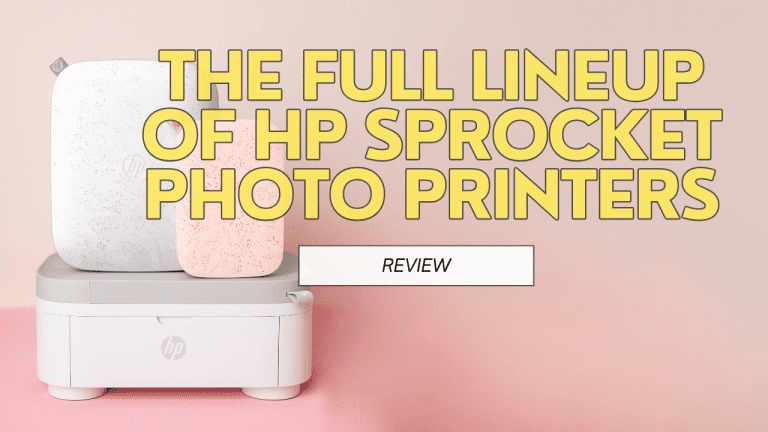
2. Hp Sprocket Studio Plus
This printer was a late addition to this blog post, but I think it is great. The HP Sprocket Studio Plus has been out for a while, but I never really gave it a second look. Once I tried it out, it made me do a double-take. The prints are really accurate and come out beautifully. I thought skintones were really accurate, and the sharpness and clarity are great. I like the fact that HP has been around forever, and you can guarantee customer and product support.
Like the others, it is app-enabled, and setting the whole thing up took minutes. It has frames, stickers, borders, and more that you can add to the photos you print, and you can also make collages.
It has a super fun feature in the app called the photobooth, and it uses your camera to take four photographs and automatically combines them into one fun photograph, and then prints it out. It’s a fun and different feature that I haven’t seen on any of the other printers.
 3. Canon Selphy CP1500
Canon’s Selphy CP1500 is a compact powerhouse. It boasts a range of connectivity options and promises prints that last up to 100 years. It has an additional battery that you can purchase if you want to take it on the go, and it also connects wirelessly to your computer so that you can print from anywhere in the house. It is the only one of the bunch that also offers the ability to print stickers and different-sized prints. It is also the only printer with a slot for an SD card, allowing you to print directly from your camera, along with a screen displaying the images you want to print.
I also love the collage options on this printer; the app allows you to add text with multiple supported fonts and even lines on blank boxes for journaling. The collages have way more options than the other printers. Another feature I love is the “satin” option, which allows you to print photos with a slightly more matte finish than the typical glossy look.
The Selphy’s color and clarity aren’t quite as good as those of the Liene or the HP, but until I found the Liene & HP, I was perfectly happy with the Canon’s colors. (Take that as you will.) That is why I chose this one as a close (really close) third favorite option!

4. Kodak Dock 4Pass
The Kodak Dock 4Pass is designed for users seeking convenience and quality. It offers one-touch printing and charges your device simultaneously. It is easy to set up and provides some interesting features—you can print directly from your phone using its docking station or through its app. The app offers some cool collage options and vintage Kodak-themed frames you could use to border your photographs.
The color is not quite as good as the previous few, but it’s not bad. The clarity takes a step down from the last three, but again, not horrible.

5. Polaroid Hi·Print 4×6
Polaroid’s Hi·Print 4×6 brings the brand’s iconic style to modern printing. It emphasizes portability and ease of use, making it ideal for on-the-go printing. The Polaroid printer features fun red detailing and includes a basic app and editing software for printing images.
The problem with this printer is that both the quality and clarity are just plain bad. I don’t want to give this printer a bad review because I genuinely love Polaroid and their products, but I can’t say good things about this printer (other than it looks cute) in good conscience. The colors were off, and the clarity was significantly incorrect. In addition, some of the prints produced had issues with the ink (see image). Sorry, but Polaroid majorly missed the mark on this one- I would spend my money on one of the above printers.

Comparison Chart
| Feature | Kodak Dock 4Pass | Liene Amber M100 | Polaroid Hi·Print 4×6 | Canon Selphy CP1500 |
|---|---|---|---|---|
| Price | ~$139.99 | ~$129.99 | ~$129.99 | ~$139.99 |
| Printing Technology | Dye-Sublimation | Dye-Sublimation | Dye-Sublimation | Dye-Sublimation |
| Print Speed | ~60 seconds | ~60 seconds | <70 seconds | ~41 seconds |
| Connectivity | USB, Wi-Fi, Docking | Wi-Fi, USB-C | Bluetooth | Wi-Fi, USB-C, SD Card |
| App Compatibility | Kodak App | Liene Photo App | Polaroid Hi·Print App | Canon Print/SELPHY App |
| Portability | Moderate | Moderate | Moderate | Moderate |
| Print Cost (per photo) | ~$0.39 | ~$0.42 | ~$0.50 | ~$0.29 |
| Additional Features | Phone docking/charging | Can print wirelessly from a desktop computer | Customization via App | Multiple Paper Sizes, Lots of collage and journaling options |


Most of these printers are amazing. They work well; the color and clarity are great, and they do precisely what they should – print high-quality photos from home! I would recommend any of them, except for the Polaroid Hi-Print. When I look at them through a photographer’s color-obsessed critical eye, the accuracy of the Liene Amber is the best, with the HP Sprocket Studio Plus a close second and the Canon Selphy a close third. All three printers produce better prints than the same ones I had printed at my local CVS and Walgreens. Any of those printers is a win in my book! I also like the Kodak (just not quite as much) and would leave the Polaroid behind.
Feel free to leave any comments or questions below. Thank you for reading!


I started looking for one of these printers and enjoyed reading tHe info. My concern is in the COMPARING of the two top ones. The photo to me to be the best is the Cannon. Could you compare Another photo that isnt so bright. Like one taken outside out of the sun. Thank you as this amy help me decide which one to purchase. Chri has
Hi Christine, you can see my video review here that shows a few different prints. Hope that helps!
Good morning
Thank you for your post.
I’m about to purchase a printer, either the Canon Selphy CP1500 or the Liene Amber M100.
Is the photo quality better with the Liene printer?
If so, I’d like to know if this is justified by the difference in cost per photo (Canon CP1500 €0.30 – Liene Amber M100 €0.51) according to current Amazon prices.
Thank you.
I think the Liene has better quality print, but the Canon is pretty good. If the price per print is that much more expensive, then I would definitely go with the Canon, as the quality difference is not THAT much more!
Is there a reason the Hp Sprocket is not included in the comparison chart?
I updated the article recently to add the HP Sprocket and accidentally forgot to update the table. I will get to that soon. Thanks for reminding me 🙂
Hi, this was exactly the article I was looking for!
I’m leaning towards the Liene, but my concern is about the limited functionality of the app… even though quality should outweigh everything else.
Question: I’m not sure when the article was written, but have there been any improvements in the Liene app?
Hi! No, the app is definitely very basic and I haven’t seen really any updates to it. It’s functional, but nothing amazing. I still really like the printer, just not super impressed with the app. Hope this helps!
I bough The Liene and printed 2 pic from an iphone Sent it back be photo was sign cropped and lost 1/8 of what showed On iphone screen. Al paper is not quite 4 x 6. Off by maybe 1/16 in length. Did you observe These issues?
Hi Kim, Yes there can be a bit of variation in print sizes on the printers, often a 4×6 is really 4″ x 5 ⅞” or something similar. I would have to check beach brand to see if they are all the same or different lengths. As for the cropping, that can happen when the size of the photo you took is not the size of the print. For example if it is an iphone photo, the ratio you took it at might be 9:16 and the printer prints at 2:3. So naturally some cropping would occur. Is it possible that’s what happened?
Hi Alison, thanks for the article, it’s a very useful comparison. I heard that the quality on selphy was much worse when using apple drivers (MacOS / iOS apps) as opposed to printing from the SD card. Have you experienced that? Can you share which method did you use to make the prints for the article?
Thanks!
Marcin
I printed both from a card and a phone! It seemed to do the same for me either way. Thanks for asking!!
Can i ask which generic ink/paper you used with the canon? There seems to be an overwhelming number of knock offs with varying degrees of reviews left on them so i’m not sure which one i should go for!
Yes! I used this paper: https://urlgeni.us/amzn/AKGFez
It worked great!
Thank you for this! This article was just what i needed. I had 3 photo printers in my shopping cart and decided to do a comparison search. Of course 3 of the 4 your evaluated were in my cart, and my top two happened to be your top two as well. I have no experience with either of the photo printers (Canon or Liene) but was basing my selection off reviews and videos found off everyone favorite online shopping site. I wish you had something bad to say about the print quality for the Liene so i could 100% justify the Canon.
Thanks again
Bkplays24
I’m so glad it helped! Don’t get me wrong, I think the Canon is also a great choice! (I just think the Liene has more accurate color). Enjoy!
This article is just what i needed from a photographer’s perspEctive!!!!! Thank you!!
Hello! I know this article is almost a year old, but I just stumbled across it; thank goodness I did! After many years away from my hobby, I am getting back into scrapbooking and have 100s of digital photos to print out. I am looking for the most economical way to print them without having to pay my local drugstore. I am leaning toward a Liene printer, as well, but am also open to something like a Canon Pixma G620 so I can resize my photos if needed. Have you written anything comparing a sublimation photo printer to an all-in-one model? I’m scared to get a small photo printer, them have to spend $$$ on all the specialty paper and inks, especially with the amount of photos I need to print. Any advice?
And thank you for such a clear, well thought-out article!
Thanks for reading it Christina! I have not compared yet, but I also own a more advanced printer as well as these photo printers- mostly because I do so much with each that I need them, lol. If I could only get one, I would do the more advanced one- like the Canon Pixma, just because you can do so much more with it. FOr journaling and crafting you can print on whatever paper you want, change sizes, etc etc.
Also, sorry for the delay in this- I wasn’t getting post notifications!
Great write up, I ordered the HP using your link. Hopefully you get the credit. Jim
Thanks so much Jim! Enjoy the HP!
Hi Alison, I am interested in this printer for one reason. To print a postcard and mail to my grandchildren as I travel. Which one of these printers offer postcard stock?
BTW, this was a very helpful article. Thank you.
Hi Pam, sorry for the delay in my response. None of these will print on postcards, unfortunately. They all use photo stock paper. You could write on the back of one and see if it makes it there, but unfortunately, if a specific postcard is what you want, it isn’t possible. I adore the idea, though. The only solution I can think of is if you purchase some blank postcards and then use a printer that prints stickers; you could adhere them to the postcard and send it that way. If that is what you think might work, the Liene Pearl would be a good choice. It is a smaller printer, so it is good for travel, and you could fit several on a postcard. https://link.amazon/B078VlBkL (affiliate link)
Where can I buy a Liene m100 in Australia??
I *thought* you could buy them on Amazon there. Does this link work? https://link.amazon/B03x9wqmH (affiliate link)