Review Of The Liene Pixcut S1: Sticker Printer and Cutter
This post may contain affiliate links so we may receive compensation if you sign up for or purchase products linked to below. As an Amazon Associate, I can earn from qualifying purchases.
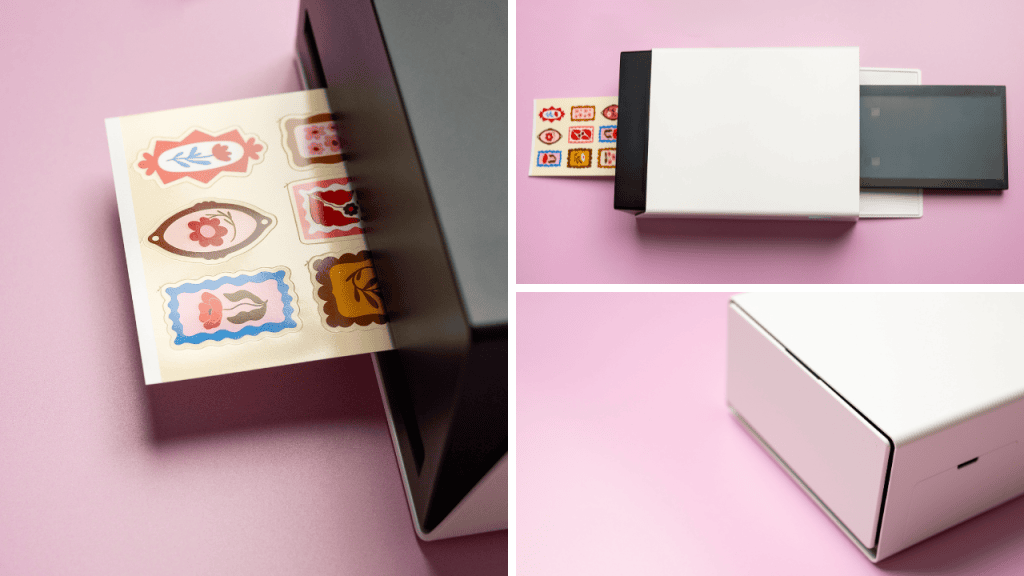
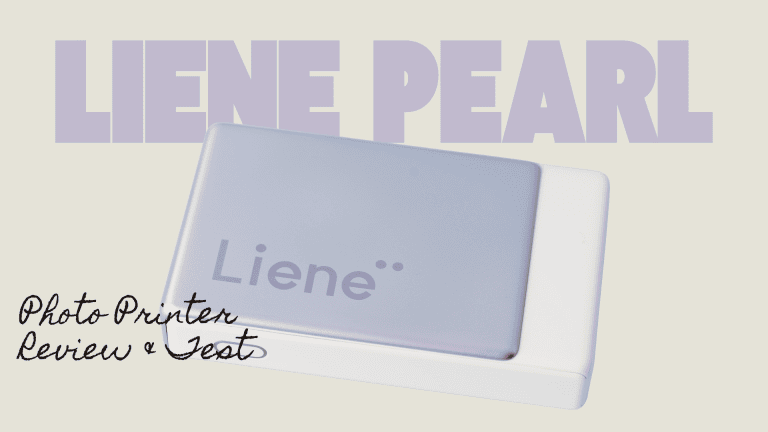
I’ve had my eye on the Liene PixCut S1 all-in-one sticker/photo printer and cutter since I saw it on Kickstarter a while back. It was really exciting to me because there are options out there for printers and cutter machines separately. Still, until the Liene, there wasn’t anything for normal consumers for everyday use (without costing $1000+). When it came out, I never picked it up as I wasnt sure of the quality it would be, but once I tested all the other Liene photo printers (you can see my you can see my reviews of the M110 against other photo printers here and the Pearl photo printer here), I knew I needed to give it a shot.
As a professional photographer, quality and accuracy are pretty much the most important things to me when it comes to printing my photographs. I am picky about both and only want to recommend products that are high quality and worth your investment- both in time and money. I wanted to create my own stickers and this is combined with top-notch photo printing. Let’s take a look at this new Liene PixCut S1.
What Is the Liene PixCut S1?
The Liene PixCut S1 is an all-in-one print-and-cut machine that combines high quality printing with precision cutting technology to make custom stickers and photographs. Instead of needing two separate machines, one for printing designs and another for cutting them out, the PixCut S1 handles both tasks in a single unit. This creates a streamlined workflow and makes things so much more accurate.
It uses thermal dye-sublimation technology in the printing process, which layers ink by color in four-layer technology and uses a solid dye rather than a traditional ink printer. It prints at 300 dpi, so the quality is amazing. The ink layering is fun to watch as it comes in and out of the machine. It also prints photos on the same device, making the PixCut useful for multiple purposes. The nice thing is the ink cartridge and paper are sold together, so you won’t run out of ink before you run out of paper.
The PixCut is about the size of a breadbox 🙂 And the print tray packs inside so you can move it easily. It isn’t exactly portable because of its size, but it is easy to move and small enough for any desk.
Best Features of the Liene PixCut S1
1. Print and Cut in One Step
The biggest selling point of the PixCut S1 is its ability to print a design and then automatically cut around it with surprising accuracy. This eliminates the need for manual alignment or transferring designs between separate printing and cutting machines. You can simply upload or create your design, send it to the machine, and let it handle both the printing and precise cutting process. It’s so simple it makes my eyes water.
2. High Resolution Printing
The PixCut S1 uses advanced inkjet technology to produce vibrant, high resolution prints. Colors come out crisp and true to the original design, for both illustrations and photographs. I was highly impressed with the color accuracy for both! Prints are created at 300 dpi, so they are simply gorgeous.
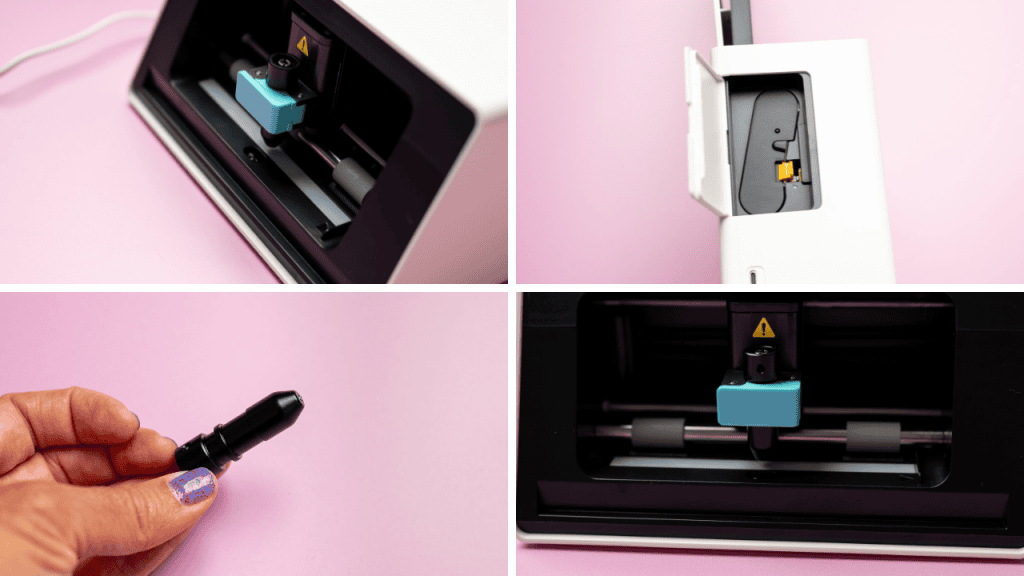
3. Precision Cutting Technology
Their AI cutting technology finds the edges of your design and easily cuts around it. It works well with small or detailed designs, and the calibration was great for me right out of the box. You can also adjust the border thickness around the design to add or remove breathing room around your image. The PixCut S1 uses a cutting mechanism that can follow intricate outlines, and all the lines were precise and cut through the sticker, but not the backing. This is particularly useful for die cut stickers, which have become incredibly popular among small business owners and content creators.
4. Compatibility With Design Software
I fully appreciate that the PixCut S1 works with user friendly app and simple design software, allowing for easy customization of its templates or the creation of entirely original designs. This makes it accessible to someone like me who does not have advanced graphic design skills, while still offering enough flexibility for more experienced creators to push their creativity further. You can take these blank sheets of sticker paper and make them beautiful custom creations.
5. In-App Designs
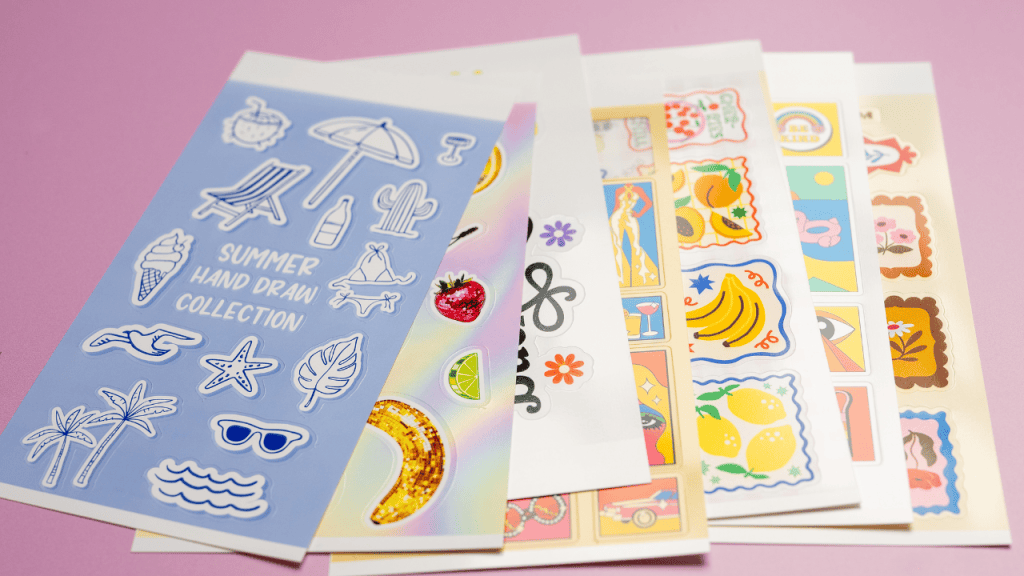
There are multiple ways to print stickers, but one thing that impressed me was the ability to print awesome FREE designs through their app for almost any event I was looking for. There is a way to search for premade images that other people have designed, which you can print for your own personal use. I was looking for summer journaling stickers and found some amazing options. I am not a graphic designer, so it has been fun to have cute designs at my fingertips so easily, with no hidden or extra costs.
Designing my own
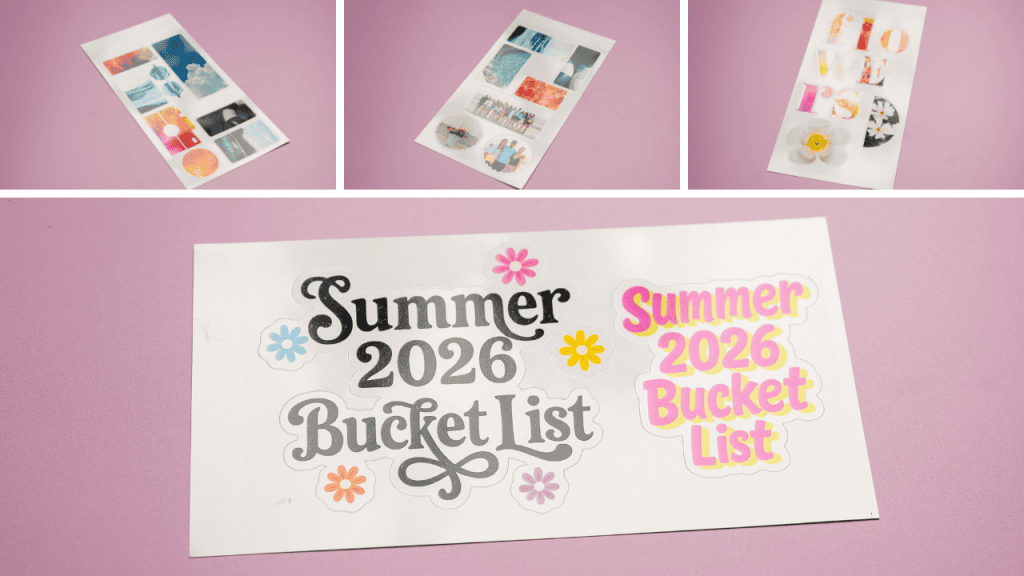
As previously mentioned, I am not a graphic designer. However, it was super easy to add my photographs to their templates or text to their labels, etc. Everything is done in the Liene app, though there are rumors they are developing a desktop version of their software. Another way I was able to create my own photo sticker creations was to design a sticker in Canva, save it to my phone, and upload it to the Liene app. Their AI auto-cutting technology knew exactly where to cut around my design, and there is even a way to adjust how large the cutting margins are. I made cute shapes using my own photographs for journaling and added them to my summer journal.
The Learning Curve
One of the most appealing aspects of the PixCut S1 is how quickly new users can get up and running. Many print and cut machines on the market require a fair amount of trial and error before users feel comfortable with the calibration process. The PixCut S1 aims to reduce that friction by offering intuitive software and clear instructions, so even first time users can start producing quality results relatively quickly- I had this machine up, designing, and running in about 15 minutes.
Paper Stickiness
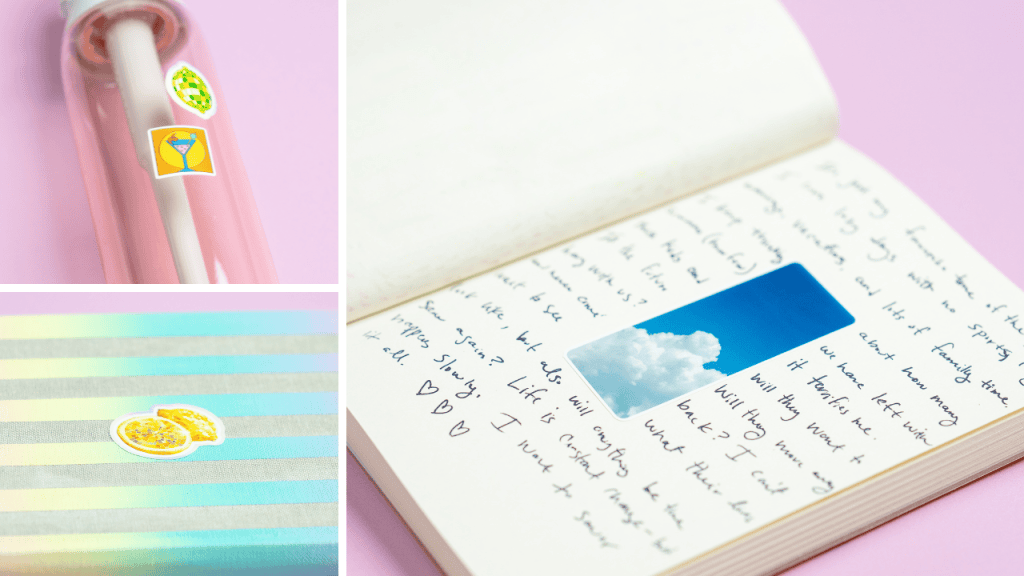
When the PixCut was first introduced, the stickers’ stickiness left something to be desired. Liene is a newish company (Kickstarter started in 2024), and they had some kinks to work out with their paper. They went back to the drawing board and released a stickier paper in 2025 that far surpassed previous versions. With this review, I decided to put the sticker paper to the test and see what it would actually stick to!
I placed stickers on my laptop, two types of water bottles, a window, multiple types of paper, and metal. I also ran the water bottles through the dishwasher to see how the color and quality held up. The image on the pink water bottle is a photograph of the bottle AFTER is has run through the dishwasher. Please note: Liene does not say these stickers are dishwasher safe- these are my own tests, because I know stickers often get put on water bottles!
The stickers stuck on everything I tried them on! The water bottles that went through the dishwasher had vibrant color and were still totally stuck and everything else stayed through everyday use. I was impressed with how well these stickers stuck and looked.
A tip for adhesion for high traffic items- a bit of rubbing alcohol on a cotton ball rubbed on the surface makes the stickers stick the best!
Is It Worth the Investment?
For anyone serious about creating custom printed and cut products, whether for personal enjoyment or business purposes, the Liene PixCut S1 offers a compelling combination of quality, convenience, and affordability compared with buying separate printing and cutting machines. The time saved by not having to manually align a printed sheet before cutting is significant, especially for those producing items in bulk.
While it may not have every advanced feature found in high end commercial machines, it strikes a solid balance for hobbyists and small business owners who need reliable performance without an overwhelming price tag or complicated setup process. The fact that it is all inclusive is absolutely priceless. I just want them to make a bigger one so it can be used on 12×12 items like the Cricut.
Final Thoughts
The Liene PixCut S1 is a smart solution for anyone looking to simplify their sticker, label, or decal-making process. By combining printing and cutting into a single, compact machine, it removes many of the barriers that used to make this kind of crafting more complicated and time-consuming. It is so easy now for me to just pop into the Pixcut and make a sticker sheet or print a photo. Whether you are running a small Etsy shop, creating personalized gifts, or simply a mom who needs to help their kid with a special project, this machine offers an accessible entry point into the world of print and cut crafting.
As with any tool, the right choice ultimately depends on your specific needs and goals, but for many users, the PixCut S1 hits a sweet spot between functionality, ease of use, and value.
If you have questions- pop them below! I am happy to help answer them.